

Access to Member Centric View (MCV), Case Management (CM) episode will be listed with other types of episodes on the left side.
- Episode Type is coded “CM.”
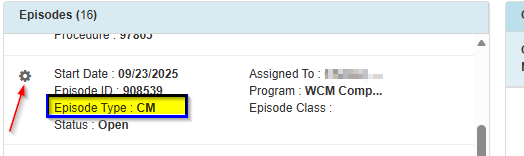
- Click the gear tool and open the CM episode. Non-associated providers are restricted to opening CM episode.
- Locate to the top right and click on the orange cheeseburger menu.
- Provider should review “Assessments & Plan of Care.”